Get the forums on your mobile...

> 10 years ago
Reply
Register to post, see what you've read, and subscribe to topics.
laurie
laurie
SA
3887 posts
SA, 3887 posts
29 Aug 2012 6:35pm
Hi,

Still in development, but have a go, and let me know of any major dramas here, or via email ..

On your mobile, visit: www.seabreeze.com.au

SP
SP
10982 posts
SP SP
10982 posts
29 Aug 2012 5:09pm
Sweet, better looking format for the iPad /iPhone

One thing... in the graphs, the text in the scroll over box is too large and i can only see half of it.

Edit... Pictures are good, here's a screen shot of what I meant
[Admin: snip ..all fixed]

laurie
laurie
SA
3887 posts
SA, 3887 posts
29 Aug 2012 7:14pm
Thanks, onto that one.
Chris6791
Chris6791
WA
3271 posts
WA, 3271 posts
29 Aug 2012 7:16pm
Is there anyway we can leave the previous tide in the forecast a bit longer? makes it a bit easier to figure out where the tide is at rather than just when the next high/low is?
adolf
adolf
1862 posts
1862 posts
29 Aug 2012 8:00pm
No thumbs and strange vertical line going through text to the right of the avatar on my iPhone. No ability to upload screenshot. Otherwise nice one
Dawn Patrol
Dawn Patrol
WA
1991 posts
WA, 1991 posts
29 Aug 2012 8:22pm
Works pretty well on my HTC Desire. Awesome
SP
SP
10982 posts
SP SP
10982 posts
30 Aug 2012 10:31am
laurie said...
Thanks, onto that one.


Thanks works fine now.

Another thing I saw is
no Thumbs in the forums
And no add picture option in the reply page.
Also when you click last post.. If the topic has over a few pages it goes to the first post not the last.

But it's heaps easier to read and navigate than the webpage. Keep up the good work..
FormulaNova
FormulaNova
WA
15100 posts
WA, 15100 posts
30 Aug 2012 12:12pm
Thanks Laurie! That's great.

Finally I can read seabreeze on the train properly instead of having to read SMH or something else. A lot of websites are definitely not easy to use on smartphone's browser, but this looks good!

Unfortunately, I now need a bigger screen, or smaller fingers...

laurie
laurie
SA
3887 posts
SA, 3887 posts
30 Aug 2012 3:04pm
Fantastic you guys, really appreciate you taking the time to scribble down your feedback.

Your comments:

>> makes it a bit easier to figure out where the tide is at rather than just when the next high/low is?

Agreed, looking at an innovative solution for this.

>> No thumbs and strange vertical line going through text to the right of the avatar on my iPhone.

Yes, thumbs are coming (maybe ). And strange vertical line is, as you say, strange. Comes & goes and proving elusive. Shall get it though.

>> Otherwise nice one

Woot!

>> Works pretty well on my HTC Desire. Awesome

Yay!

>> And no add picture option in the reply page.

Yes .. caused by iPhone/Pads not being able to upload, shall be investigating for Android...

>> Also when you click last post.. If the topic has over a few pages it goes to the first post not the last.

Odd - shall investigate.

>> Thanks Laurie! That's great.

You're more than welcome. :-)

Shall post here when above have been fiddled, feel free to add more stuff.. all good.

rod_bunny
rod_bunny
WA
1089 posts
WA, 1089 posts
30 Aug 2012 6:06pm
Congrats Laurie - you just made me less productive
ShireSUP
ShireSUP
NSW
982 posts
NSW, 982 posts
30 Aug 2012 8:15pm
I'm converted!
Bone74
Bone74
380 posts
380 posts
30 Aug 2012 7:07pm
Is this suppose to be new? I only ever use my I phone to access seabreeze. Forums thumbs wind swell buy and sell everything. It's been great can't upload any of my pics only problem.
shear tip
shear tip
NSW
1125 posts
NSW, 1125 posts
30 Aug 2012 9:35pm
Much nicer on a phone, but will there be an "active topics" button in the forum
GreenPat
GreenPat
QLD
4103 posts
QLD, 4103 posts
1 Sep 2012 10:36am
It's just giving me the full site at the moment. On Android 4, whatever the default browser is on that.
FormulaNova
FormulaNova
WA
15100 posts
WA, 15100 posts
3 Sep 2012 8:10am
GreenPat said...

It's just giving me the full site at the moment. On Android 4, whatever the default browser is on that.


I think it has reverted back to normal. The appearance on my Android handset and tablet looks just like a normal website.

Laurie, are you just teasing us?

VB MAN
VB MAN
1156 posts
1156 posts
3 Sep 2012 5:13pm
U are lame Laurance, get your stfuff together will ya
laurie
laurie
SA
3887 posts
SA, 3887 posts
4 Sep 2012 10:24am
VB MAN said...

U are lame Laurance, get your stfuff together will ya


You'll keep, Victoria.
doggie
doggie
WA
15849 posts
WA, 15849 posts
4 Sep 2012 10:23am
Ok ya got me, how do ya work this thing? It looks like the old forum to me?????
SP
SP
10982 posts
SP SP
10982 posts
4 Sep 2012 10:38am
doggie said...

Ok ya got me, how do ya work this thing? It looks like the old forum to me?????


Yeah, it was different the other day.
I'm getting the same thing with either address now.
jbshack
jbshack
WA
6913 posts
WA, 6913 posts
4 Sep 2012 11:49am
SP said...

doggie said...

Ok ya got me, how do ya work this thing? It looks like the old forum to me?????


Yeah, it was different the other day.
I'm getting the same thing with either address now.


Me too. I'd like to see for a mobile forum maybe get ride of the classifieds up the side. They don't need to be there but make everything smaller..
laurie
laurie
SA
3887 posts
SA, 3887 posts
4 Sep 2012 3:48pm
Sorry fella's, my bad .. the test site got stopped, back online:

www.seabreeze.com.au


jbshack said
Me too. I'd like to see for a mobile forum maybe get ride of the classifieds up the side. They don't need to be there but make everything smaller..


Your wish has been granted.
doggie
doggie
WA
15849 posts
WA, 15849 posts
4 Sep 2012 2:28pm
Arrr that's better

From mobile
Dawn Patrol
Dawn Patrol
WA
1991 posts
WA, 1991 posts
4 Sep 2012 2:48pm
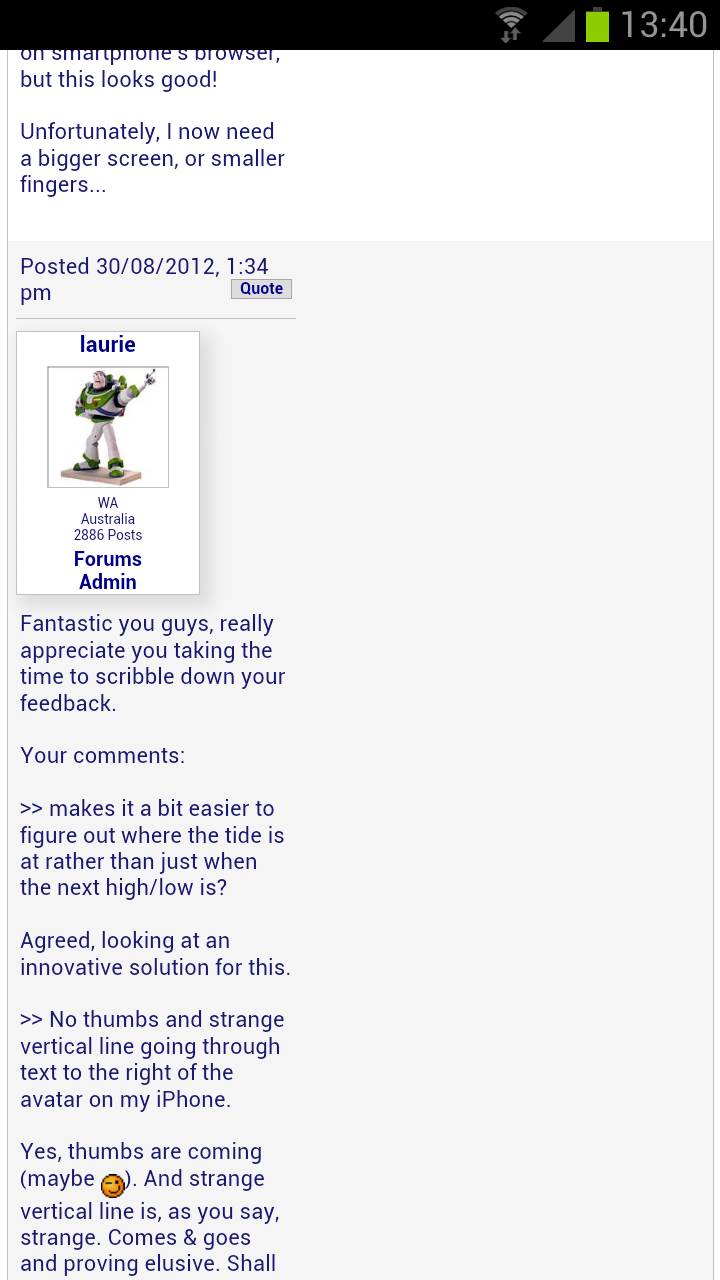
No longer have the desire, but on the Galaxy S3, the text seems to be bunched up under people avatars.
Here is a screen shot of the screen.


Actually, it turns out that only happens when I have the setting "Auto-fit pages: Format web pages to fit the screen" activated.

It is a handy setting for other websites because zooming in and out is made better. Maybe certain mobile sites screw up
paddymac
paddymac
WA
943 posts
WA, 943 posts
8 Sep 2012 10:35am
Dawn Patrol said...

No longer have the desire, but on the Galaxy S3, the text seems to be bunched up under people avatars.
Here is a screen shot of the screen.


Actually, it turns out that only happens when I have the setting "Auto-fit pages: Format web pages to fit the screen" activated.

It is a handy setting for other websites because zooming in and out is made better. Maybe certain mobile sites screw up


Same here with Motorola Android 4
jbshack
jbshack
WA
6913 posts
WA, 6913 posts
8 Sep 2012 7:46pm
The Active topic button is missing!
Please Register, or first...
Topics Subscribe Reply

Return To Classic site 😭
Or... let us know if a problem, so we can tweak! 😅