Final feedback on forums facelift ...

> 10 years ago
Reply
Register to post, see what you've read, and subscribe to topics.
laurie
laurie
SA
3887 posts
SA, 3887 posts
27 Sep 2012 1:19pm
Hey!

Thanks for all your comments so far, fixed plenty of bugs, and new look working on many many platforms.

If you have any final say, now's your chance.

And remember - if you want the old "wider" layout, it's available at the bottom of the screen via the "Widescreen | Fixed" layout ..

Check it out at:

www.seabreeze.com.au/forums/

Click the thumbs on this topic to vote for 'go live' on Monday...
doggie
doggie
WA
15849 posts
WA, 15849 posts
27 Sep 2012 11:55am
Not bad.
felixdcat
felixdcat
WA
3519 posts
WA, 3519 posts
27 Sep 2012 12:00pm
Looks good! must add some smillies........... specially the palm face one!
Dawn Patrol
Dawn Patrol
WA
1991 posts
WA, 1991 posts
27 Sep 2012 12:04pm
Awesome. Looks great with the widescreen mode.

It looks good on the mobile when I don't have "fit to screen" setting active. But i usually have it on because it works well with other websites. Would be cool if that can be fixed. Apart from that its really good.
Stuthepirate
Stuthepirate
SA
3591 posts
SA, 3591 posts
27 Sep 2012 2:29pm
Looks good Laurie.
I found the ocean backgraound a bit disorientating whe first navigating/scrolling the pages but it's definately an improvement.
doggie
doggie
WA
15849 posts
WA, 15849 posts
27 Sep 2012 1:03pm
When I was logged in I couldnt use the thumbs
DavMen
DavMen
NSW
1510 posts
NSW, 1510 posts
27 Sep 2012 3:09pm
I like it, but I already miss the magenta/yellow folders
Yetti
Yetti
SA
253 posts
SA, 253 posts
27 Sep 2012 3:24pm
Looks really good, i like it
Haircut
Haircut
QLD
6491 posts
QLD, 6491 posts
27 Sep 2012 4:12pm
looks great

if you are planning to put ads and banners on that lovely new free space full of water, that probably won't look so hot
JOYRIDER
JOYRIDER
705 posts
705 posts
27 Sep 2012 3:15pm
why change it??

did it not work before??

seems the same, can a guide to new features be attached??
seanhogan
seanhogan
QLD
3424 posts
QLD, 3424 posts
27 Sep 2012 5:30pm
is it possible, O great guru, to add a feature ?

Like when you click on a topic it takes you to the last post you read in that topic (so you don't have to scroll a whole page just to find the last unread post)
Chris_M
Chris_M
2132 posts
2132 posts
27 Sep 2012 3:49pm
Add some Russian bride ad's and it's perfect!
laurie
laurie
SA
3887 posts
SA, 3887 posts
27 Sep 2012 6:50pm
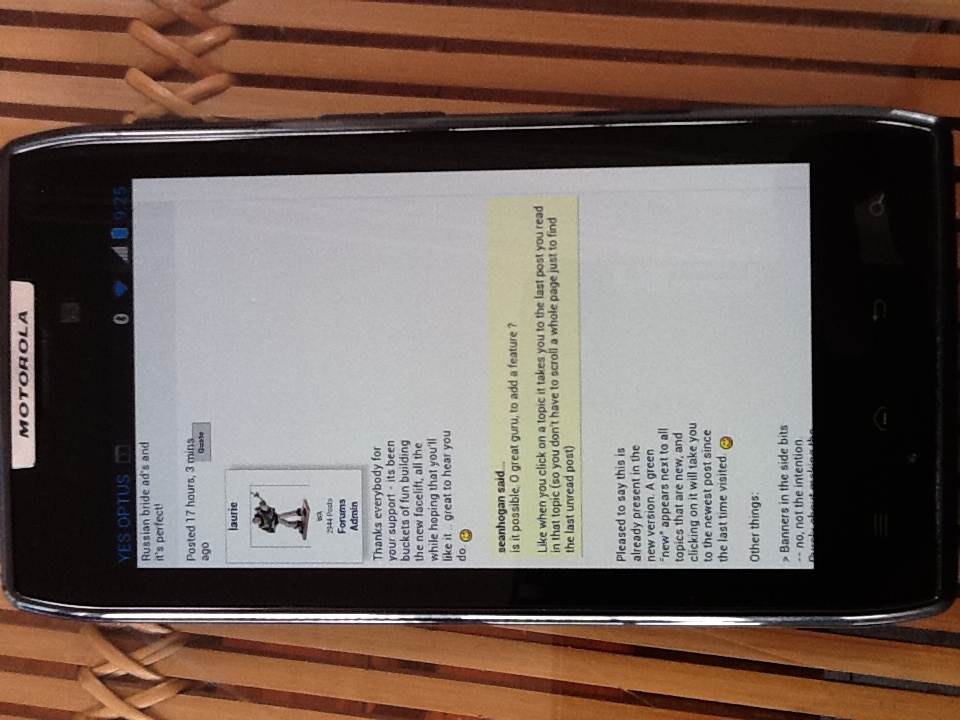
Thanks everybody for your support - its been buckets of fun building the new facelift, all the while hoping that you'll like it .. great to hear you do.

seanhogan said...
is it possible, O great guru, to add a feature ?

Like when you click on a topic it takes you to the last post you read in that topic (so you don't have to scroll a whole page just to find the last unread post)


Pleased to say this is already present in the new version. A green "new" appears next to all topics that are new, and clicking on it will take you to the newest post since the last time visited.

Other things:

> Banners in the side bits -- no, not the intention. Purely about making the forums more usable/better looking/more modern.

> Russian brids -- lol. Not just yet, either!

> Why change it? -- the only constant is change. Like disco, moustaches & glam rock .. change is good.
SandS
SandS
VIC
5904 posts
VIC, 5904 posts
27 Sep 2012 8:40pm
All looks great !!!

One last comment / feedback , ..... I've just realized that I never look at the bottom of the page .

May mean nothing , don't know ? .........
SandS
SandS
VIC
5904 posts
VIC, 5904 posts
27 Sep 2012 8:49pm
Hang on ,, this is really my last comment feedback !

I thought we had got rid of all the crap on the right hand side of the page .

But alas no !!!,
albentley
albentley
NSW
297 posts
NSW, 297 posts
27 Sep 2012 8:57pm
looks really good

are you planning on introducing any social media integration? a lot of the newer forums have this.

Al
INTHELOOP
INTHELOOP
QLD
1855 posts
QLD, 1855 posts
27 Sep 2012 9:42pm
looks fresher and goes nicely along with new smartphone app.

Smithy
Smithy
VIC
859 posts
VIC, 859 posts
27 Sep 2012 10:34pm
Works really well on my ipad2, now defaults to the size I used to zoom to.
cisco
cisco
QLD
12365 posts
QLD, 12365 posts
27 Sep 2012 10:46pm
Thumbs up.
houston
houston
TAS
3173 posts
TAS, 3173 posts
27 Sep 2012 10:52pm
Great work Laurie, feels and looks better
theDoctor
theDoctor
NSW
5786 posts
NSW, 5786 posts
27 Sep 2012 11:08pm


lost my classified ad credit....

that's gonna cost ya a t-shirt long streak
GreenPat
GreenPat
QLD
4103 posts
QLD, 4103 posts
27 Sep 2012 11:58pm
Do we have thumbs in the Android version yet? I'm on a minesite without coverage or wifi at the moment. I keep meaning to ask via my mobile, but it's too hard to type on it. Not the page's fault, HTC One V is really way too small for my fat fingers. It does weird stuff too (in general), I might try the Android version of Firefox next time I'm in range of an internet...
eppo
eppo
WA
9789 posts
WA, 9789 posts
27 Sep 2012 10:53pm
Much easier to read laurie, well done. It has always been a much easier forum to use than say kite forum and it has just got better. Haven't tried it on my iPhone yet will do tomoz. Well done mate.


Ps any chance you can take the red thumb thing off, I think there are some rebel riders stalking me.

Lol......
DavMen
DavMen
NSW
1510 posts
NSW, 1510 posts
28 Sep 2012 9:09am
DavMen said...
I like it, but I already miss the magenta/yellow folders


laurie said...
Pleased to say this is already present in the new version. A green "new" appears next to all topics that are new, and clicking on it will take you to the newest post since the last time visited.


Could this (A green "new") be possible on on forum groups as well, and not just topics?
62mac
62mac
WA
24860 posts
WA, 24860 posts
28 Sep 2012 7:48am
eppo said...


Ps any chance you can take the red thumb thing off, I think there are some rebel riders stalking me.

Lol......


Funny

I'd like to see the following.Only those who have commented on a thread can use the thumb option.
evlPanda
evlPanda
NSW
9207 posts
NSW, 9207 posts
28 Sep 2012 11:08am
More (.(.)

...actually. How about this for a feature?

- A Not Safe For Work flag that *anybody* could click nest to a post.
- An 'I am at work' checkbox or whatever up top of forum pages.

If both = Y then do not display images for that particular post.

Next time?
doggie
doggie
WA
15849 posts
WA, 15849 posts
28 Sep 2012 9:10am
evlPanda said...

More (.(.)

...actually. How about this for a feature?

- A Not Safe For Work flag that *anybody* could click nest to a post.
- An 'I am at work' checkbox or whatever up top of forum pages.

If both = Y then do not display images for that particular post.

Next time?


Ted the Kiwi
Ted the Kiwi
NSW
14256 posts
NSW, 14256 posts
28 Sep 2012 12:11pm
I think it looks good Laurie. Well done. Do you think you could make it easier to loads multiple pics - instead of having to load one at a time it would be nice if you could just highlight multiple shots with shift / control / command and then upload all at once.
paddymac
paddymac
WA
943 posts
WA, 943 posts
28 Sep 2012 10:35am
Hi Laurie,

On Android 4.0.4 the text is being pushed to the left unless it is in a quote box.


Also for both old and new versions of the site when using iPad 2 and
Reply to topic
Add an image to my message
I can't get Select to work

Cheers, P
Dawn Patrol
Dawn Patrol
WA
1991 posts
WA, 1991 posts
28 Sep 2012 11:28am
^Same happens of my phone. Galaxy S3.

If you turn off the 'fit webpage to screen' setting (or soimething along those lines) it fixes it. But then all other websites look worse.
laurie
laurie
SA
3887 posts
SA, 3887 posts
28 Sep 2012 3:50pm
Just added:

> Thumbs now available on mobile
> 'new' indicator in the cateogries

Questions:

>> you could make it easier to loads multiple pics

Yes! It's already been added to the Buy & Sell, and yes, intention is to add here, as it's a pain picking images one by one.

Other ideas (thumbs/worksafe) added to the wishlist. Good ideas - cheers!


Regards the Galaxy S3 .. I've been testing via a Galaxy S2, and have tried the Android 'Auto-fit pages [ x ]' option in the browser to both on & off settings, and doesn't make any difference at all.

Just tweaked a few things.. how is it now, any S3 browsers having trouble?

Thanks...
Please Register, or first...
Topics Subscribe Reply

Return To Classic site 😭
Or... let us know if a problem, so we can tweak! 😅